
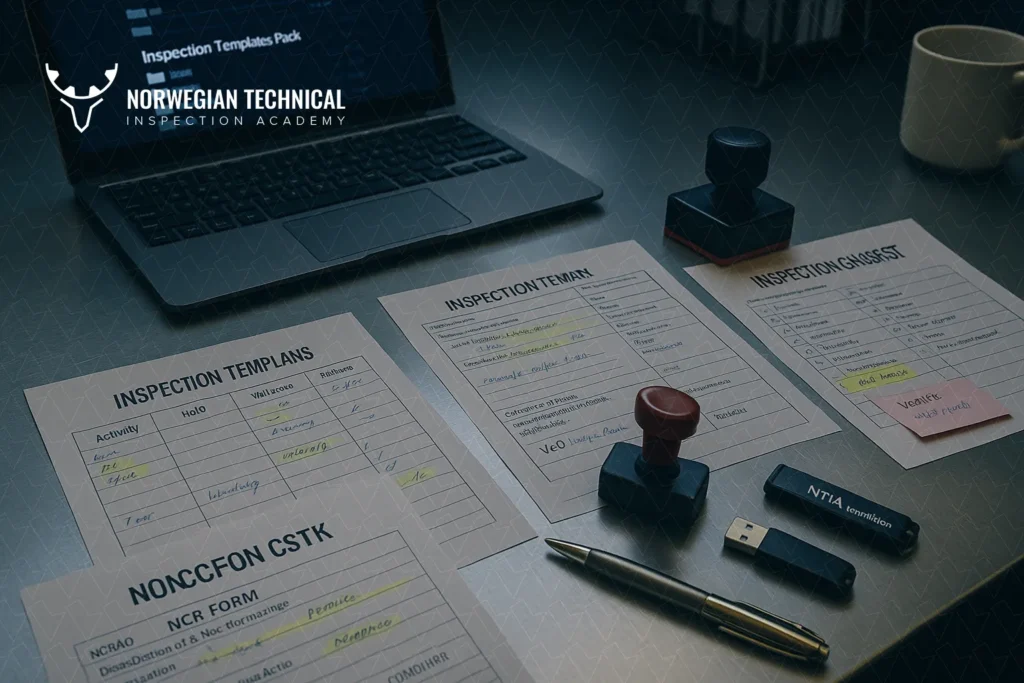
The Master Inspection Templates Pack (ZIP) provides 20+ ready-to-use templates for QA/QC engineers, including:
This QA/QC forms pack ensures compliance, saves hours of documentation work, and aligns inspections with API, ASME, and ISO requirements.
In inspection and quality control, consistency is everything. Without standardized templates, documentation becomes fragmented, errors slip in, and evidence of compliance may not satisfy the client or third-party inspector.
Using inspection templates:
In short: templates are not just paperwork—they are the backbone of vendor inspection.
While ITPs define what and when to inspect, checklists guide inspectors through the actual step-by-step process. They act as a fail-safe tool, ensuring no critical item is missed.
The QA/QC forms pack includes 6+ inspection checklists covering all stages: pre-inspection, in-process, and post-inspection.
Used before inspection begins, this checklist ensures all prerequisites are met and no visit is wasted.
Key Activities:
✅ Benefit: Prevents wasted visits, rework, and delays by confirming readiness before inspection starts.
Applied during fabrication, assembly, or testing, this checklist ensures continuous quality control and process compliance.
Key Activities:
✅ Benefit: Provides real-time conformity tracking, helping to detect and resolve quality issues before they escalate.
Performed at the final stage, before shipment or dossier submission, this checklist ensures complete documentation and compliance closure.
Key Activities:
✅ Benefit: Guarantees audit-ready documentation, smooth client acceptance, and zero disputes at project close-out.
In QA/QC, clear reporting is just as critical as the inspection itself. If a deviation is not properly documented—or if inspection findings are unclear—disputes can arise, causing costly delays. That’s why the QA/QC forms pack includes standardized forms for NCRs (Non-Conformance Reports) and IRs (Inspection Reports).
The NCR template provides a professional way to record, communicate, and close deviations.
Key sections include:
✅ Benefit: Creates a traceable record that deviations were not ignored, but resolved systematically.
The IR template captures inspection activities, results, and evidence.
Key sections include:
✅ Benefit: Serves as the official record of conformity and becomes part of the final dossier required for project close-out.
👉 With standard NCR/IR forms, inspectors avoid vague wording, inconsistent layouts, or missing approvals—all of which can cause client rejections.
Having ready-to-use templates is powerful, but how you apply them determines whether they actually add value or just become paperwork. Over years of inspection experience, a few best practices stand out:
✅ Mistake to avoid: Removing witness/hold columns just because a client “didn’t ask.” These are often required later in audits.
✅ This prevents confusion during final dossier compilation when multiple versions exist.
✅ This saves time in client review meetings and shows professional credibility.
✅ Many companies use this pack as a training tool for junior engineers—helping them follow structured workflows.
👉 By following these practices, companies transform templates from “static files” into living QA/QC tools that strengthen compliance, traceability, and client confidence.
📦 The Master Inspection Templates Pack (ZIP) is available for direct download. It’s structured for immediate use by QA/QC engineers, vendor inspectors, and training teams.
Inside the ZIP, you’ll find:
| Category | Templates Included | Format | Purpose | |
| ITP Templates | Vendor ITP, Valve ITP, Raw Material ITP, Welding ITP, NDE ITP | Excel / Word | Define inspection scope, sequence, responsibilities, and acceptance criteria | |
| Inspection Checklists | Pre-Inspection, In-Process, Post-Inspection, Welding, Dimensional, Dossier Review | Word / PDF | Ensure nothing is missed before, during, and after inspection | |
| Forms | NCR, IR, Release Note, Calibration Log, Test Report Summary | Word / Excel | Record findings, non-conformities, and approvals for final dossiers |
Total: 20+ editable templates
✅ Formats provided: Word, Excel, PDF
✅ Ready-to-use: Just replace project/client details
✅ Editable: Customize to your inspection scope
👉 Download the Master Inspection Templates Pack (ZIP)
This pack is designed not only for daily inspections but also as a training toolkit for companies onboarding new QA/QC staff.
To get the most out of this QA/QC forms pack, it helps to connect with our earlier resources. Each of these guides dives deeper into specific areas covered by the templates:
✅ Linking these resources into your inspection workflow helps engineers go beyond “filling forms” — they understand the why behind each step.
👉 Together, these create a complete QA/QC documentation ecosystem: from raw materials, to valves, to vendor inspections, all tied into a final dossier.
The Master Inspection Templates Pack is a powerful start, but real impact comes when engineers combine templates with practical training and ongoing updates. That’s why NTIA offers QA/QC Training Courses and an exclusive Membership Program.
With membership, you don’t just download forms—you gain a living QA/QC toolkit backed by training, updates, and expert support.
The pack includes 20+ editable templates, covering ITPs (Vendor, Valve, Raw Material), inspection checklists (pre-, in-process, post-), and NCR/IR forms in Word, Excel, and PDF formats.
Yes. Each template references standards like API 598, ISO 5208, EN 10204, ASME Section IX, and others commonly used in vendor and EPC projects.
Absolutely. All templates are fully editable. You can add your company logo, update client/project details, and adjust acceptance criteria while keeping the core QA/QC structure intact.
Follow this HowTo workflow:
No, training is separate. However, NTIA’s Membership Program provides access to:

At NTIA (Norwegian Technical Inspection Academy), we specialize in delivering world-class training programs in vendor inspection, quality surveillance, and technical compliance – specifically tailored for professionals in the oil, gas, and energy industries.
Copyright © 2025 by NTIA. All Rights Reserved.



3 Responses
Many thanks for the help in this question. I did not know it.
Master QA/QC templates pack with 20+ checklists, ITPs, and NCR/IR forms streamlines inspection compliance like gold medal achievements demand precision
Where is the download link?